By: Jeff Hirz
If you are planning a new WordPress website, the first question is usually simple: how much does a WordPress website cost?
The honest answer is that WordPress website cost depends on how the site is built. A basic self-built site can cost a few hundred dollars in the first year. A professional business website often lands in the low to mid five figures. A custom WordPress build with integrations, WooCommerce, advanced design, migrations, or enterprise requirements can move past $25,000 and, in larger cases, well past $100,000.
That range is wide because WordPress is not one product with one price. WordPress is the software that can power the site. The real budget comes from hosting, design, development, content, plugins, integrations, maintenance, SEO, and the team responsible for putting everything together.
That is the part many buyers miss: not all WordPress websites are the same. Two agencies can both say they build WordPress sites and deliver very different products. One may install a theme, stack a dozen plugins, and leave you with a site that is hard to maintain. Another may plan templates, performance, content migration, redirects, security, analytics, and post-launch support from the start.
This guide breaks down the real pricing factors so you can compare quotes with better questions.
Quick WordPress Website Cost Ranges
Use these ranges as planning estimates, not fixed quotes. Pricing changes by business size, scope, vendor, timeline, and technical requirements.
| WordPress Project Type | Planning Range | Best Fit |
|---|---|---|
| DIY or very basic template site | $100 to $1,000+ first year | Personal site, early-stage test, simple brochure presence. |
| Basic professional small-business site | $2,500 to $10,000+ | Small service business that needs a clean site and light customization |
| Custom business or lead-generation site | $10,000 to $35,000+ | Established business with custom design, multiple page types, analytics, and SEO needs |
| WooCommerce or ecommerce WordPress site | $15,000 to $75,000+ | Product catalog, checkout, shipping, tax, feeds, integrations, and conversion work |
| Enterprise or high-traffic WordPress build | $50,000 to $150,000+ | Complex publishing, governance, integrations, security, performance, or high traffic |
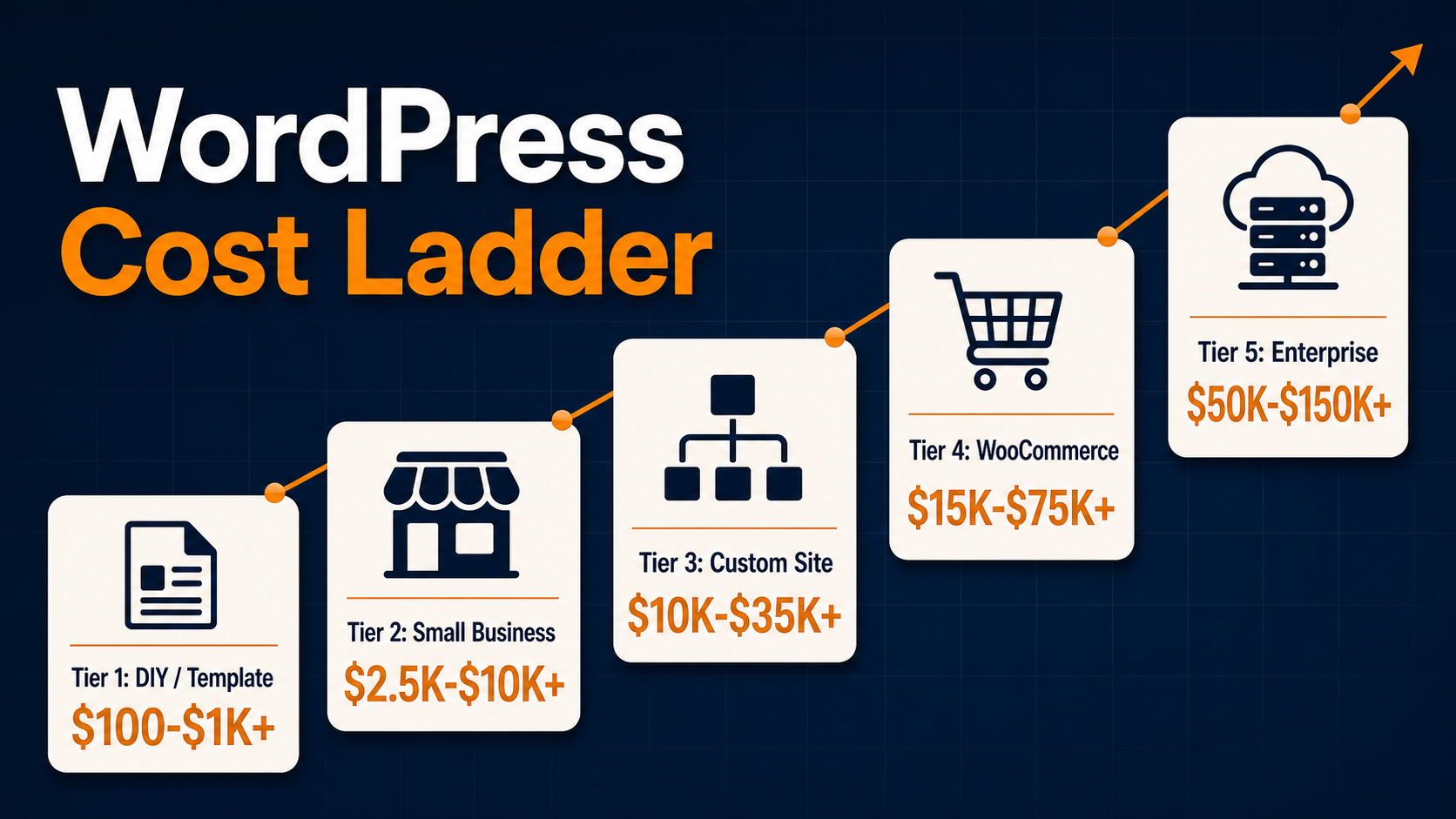
The lower end usually means more self-service, more templates, and fewer custom requirements. The higher end usually means deeper planning, custom design systems, cleaner development, more QA, stronger migration planning, and better long-term support.
The Biggest Factors That Affect WordPress Website Design Pricing
The original version of this article listed the core cost drivers clearly. Those factors still matter in 2026:
| Pricing factor | Why it changes cost |
|---|---|
| Design style and difficulty | A simple theme setup costs less than a custom visual system with unique layouts, motion, photography, and brand-specific components. |
| Front-end development complexity | Responsive templates, interactive features, accessibility, Core Web Vitals, and reusable components require more planning and QA. |
| Custom features | Calculators, gated content, search/filter tools, account areas, dashboards, quote forms, and custom workflows add development time. |
| Data imports and integrations | CRM, ERP, inventory, marketing automation, analytics, payment, shipping, and product data integrations require mapping and testing. |
| Number of plugins | Plugins can reduce build time, but each plugin adds license cost, compatibility risk, update work, and possible performance overhead. |
| Content migration | Moving old pages, posts, media, metadata, redirects, forms, and downloads can become a major project by itself. |
| Number of pages and templates | A 10-page brochure site is different from a 200-page resource library or multi-location site with many page types. |
| eCommerce capabilities | WooCommerce adds product data, checkout, payment, tax, shipping, feeds, email, schema, security, and conversion requirements. |
These factors are why a flat answer like $5,000 for a WordPress site is rarely useful. The better question is: what kind of WordPress site are you buying, and what has to work after launch?
Is WordPress Free, or Does WordPress Build the Website?
WordPress can be free to download from WordPress.org, but that does not mean a finished business website is free. You still need hosting, a domain, design, development, content, configuration, plugins, security, backups, and support.
There is also a difference between WordPress.org and WordPress.com. WordPress.org is the open-source software most custom WordPress sites use. WordPress.com is a hosted service with paid plans and packaged features. Both can be valid, but they create different cost models.
The important point from the older article still holds: WordPress does not design, program, customize, and support a business website for you. For that, you need an internal team, freelancer, or WordPress website design and development services from a company that can plan and build the site.
If you only need a simple site, a hosted plan or template may be enough. If the site needs to support lead generation, organic search, ecommerce, integrations, or a larger brand, the build budget should include the people and process behind the site along with the software.
One-Time WordPress Build Costs vs. Ongoing Costs
A WordPress budget has two parts: the launch project and the ongoing cost to operate the site.
| Cost item | Typical range or model | Notes |
|---|---|---|
| Domain | Often $10 to $50/year | Premium domains cost more. |
| Hosting | From a few dollars/month to hundreds or more | Managed WordPress hosting costs more than shared hosting but can improve support, speed, security, and reliability. |
| SSL/security | Free to hundreds/year | Many hosts include SSL. Business sites may need added security, monitoring, backups, or compliance support. |
| Theme or builder | Free to hundreds/year | Premium themes and builders can speed up production but may add licenses and technical constraints. |
| Plugins and extensions | Free to hundreds/year per tool | SEO, forms, caching, accessibility, security, ecommerce, translation, and analytics plugins can add recurring costs. |
| Design and development | Hundreds to six figures | Scope, team, custom work, integrations, and QA drive the range. |
| Content and migration | Hundreds to tens of thousands | Copywriting, page migration, image cleanup, redirect mapping, and metadata work are often underestimated. |
| Maintenance | Monthly or annual | Updates, backups, security checks, support, uptime monitoring, and small fixes should be budgeted after launch. |
| SEO and analytics | Project or monthly | Tracking, redirects, technical SEO, content, and ongoing optimization affect whether the site produces results. |
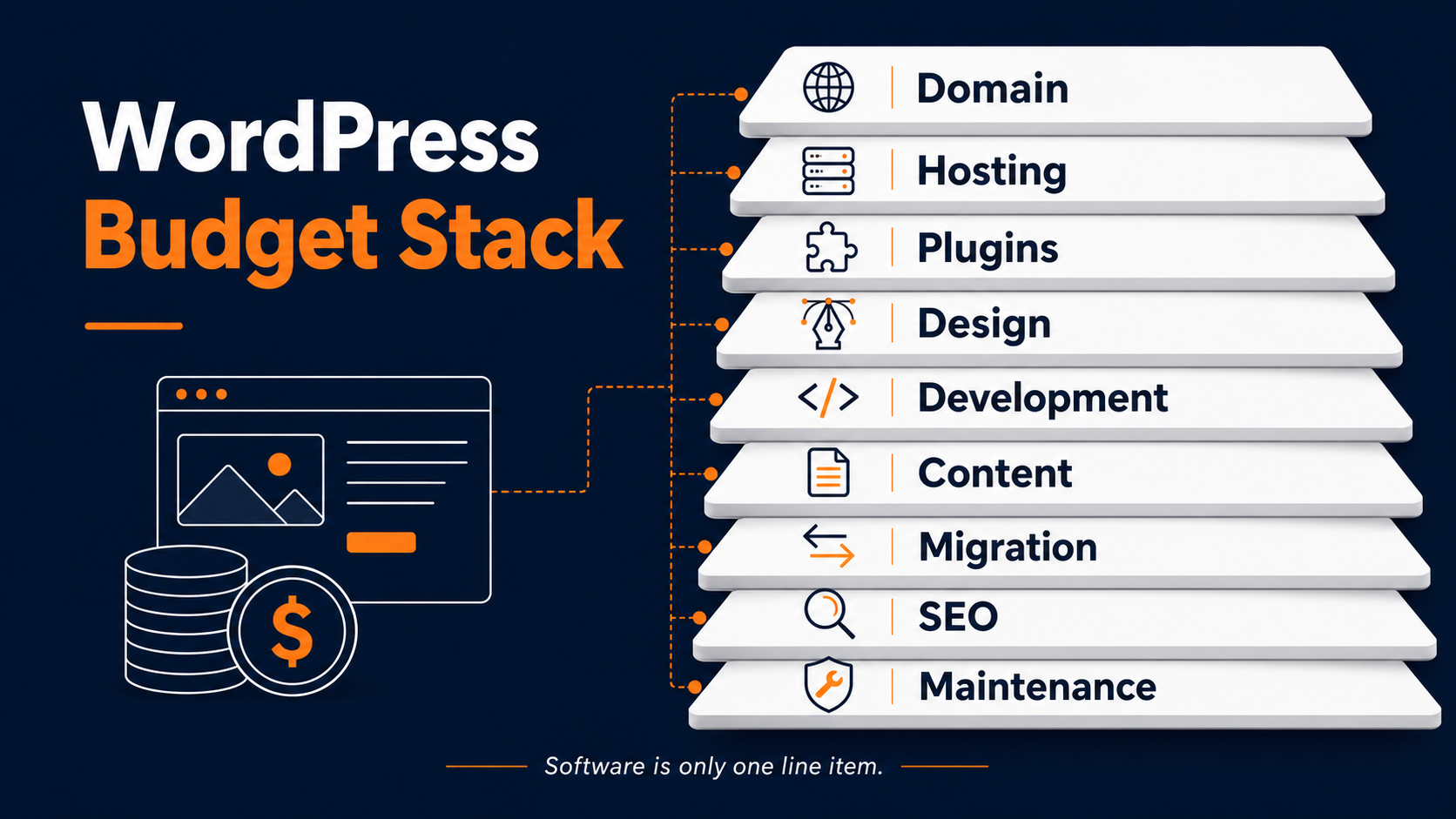
Official WordPress.org guidance focuses on technical requirements such as modern PHP, database support, and HTTPS. That matters because the cheapest host is not always the right host. Hosting affects security, performance, uptime, support, and how easy the site is to maintain.
For plugin costs, remember that free installation is not the same as free ownership. Premium tools for forms, caching, SEO, backups, accessibility, subscriptions, memberships, or ecommerce often renew annually.
WordPress Website Design and Development Pricing by Project Type
For planning, it helps to think in project types.
Basic or DIY WordPress Site
A very basic WordPress site can be built with a low-cost theme, inexpensive hosting, and a few essential plugins. This path can work for a personal brand, side project, or early test.
The tradeoff is time and quality control. You are responsible for choosing the host, theme, plugins, content, security, backups, performance settings, and updates. If the site supports real revenue, those decisions matter.
Professional Small-Business WordPress Site
A professional small-business site usually includes discovery, a design direction, page templates, content entry, basic SEO setup, forms, analytics, and launch QA. Many projects in this range use a theme or builder but customize it for the brand.
This is where costs often move from hundreds into several thousand dollars. The budget pays for fewer mistakes, better launch planning, and a site that is easier for your team to update.
Custom Business or Lead-Generation Site
Custom WordPress builds cost more because they solve business-specific problems. A B2B company may need conversion-focused service pages, case study templates, gated resources, CRM routing, analytics events, and SEO migration planning.
The design and development work is only part of the cost. Strategy, content structure, technical SEO, accessibility, redirect planning, QA, and post-launch support all affect whether the site performs.
WooCommerce or eCommerce WordPress Site
WooCommerce itself is free to download and use, but a real ecommerce build is not free. WooCommerce pricing guidance separates the free core from hosting, payment processing, extensions, and optional store features. WooCommerce also notes that hosting for most stores can range from $25 to $350/month, depending on traffic and performance needs.
An ecommerce WordPress project may include product data, categories, filtering, checkout, payment gateways, shipping, tax, product reviews, email templates, feeds, ERP or inventory integrations, schema, analytics, and conversion testing. For more detailed store budgeting, see our guide to eCommerce website pricing.
Enterprise or High-Traffic WordPress Site
Enterprise WordPress pricing is different. Hosting, security, governance, user permissions, editorial workflows, uptime, content volume, and traffic can drive the budget. WordPress VIP and similar enterprise platforms price around monthly visitors and specific needs, which is a different conversation than a small-business brochure site.
How Agencies, Freelancers, and Overseas Developers Change the Cost of a WordPress Website
The old version of this article made a useful point that should not be lost: WordPress has a huge developer market. You can find low hourly rates overseas, mid-range freelancers, specialized boutique shops, and US agencies with much higher hourly rates.
The hourly rate is only one part of the cost.
A low-cost build may be fine for a simple site if the scope is clear and the site is not business-critical. The risk rises when the project needs custom design, clean development, plugin judgment, SEO migration, integrations, accessibility, performance, or support.
Plugin-heavy builds are a common example. A developer can install plugins quickly, but too many plugins can create conflicts, slow the site, introduce update problems, or make future changes harder. One plugin may not work with another. A plugin may stop being maintained. A theme may lock important content into shortcodes or builder-specific fields.
Communication is also part of the budget. If your website is important to lead generation, sales, recruiting, or customer support, you need a team that can explain tradeoffs, document decisions, respond after launch, and fix issues when WordPress, PHP, plugins, or browsers change.
That does not mean every business needs the most expensive agency. It means a quote should be evaluated by risk as well as price. Ask what happens after launch, who owns the site, how plugins are selected, how performance is tested, how redirects are handled, and how future changes will be supported.

Hidden Costs That Make Cheap WordPress Builds Expensive
The cheapest quote can become expensive if important work is excluded.
Common hidden costs include:
- Content writing, editing, and migration from the old site.
- Redirect mapping to protect rankings and links during a redesign.
- Image optimization and media cleanup.
- Accessibility fixes.
- Analytics, conversion tracking, and form attribution.
- SEO plugin configuration, metadata, schema, and indexation checks.
- Performance optimization for Core Web Vitals.
- Security, backups, uptime monitoring, and update testing.
- Premium plugin renewals.
- Staff training and documentation.
- Post-launch bug fixes and support.
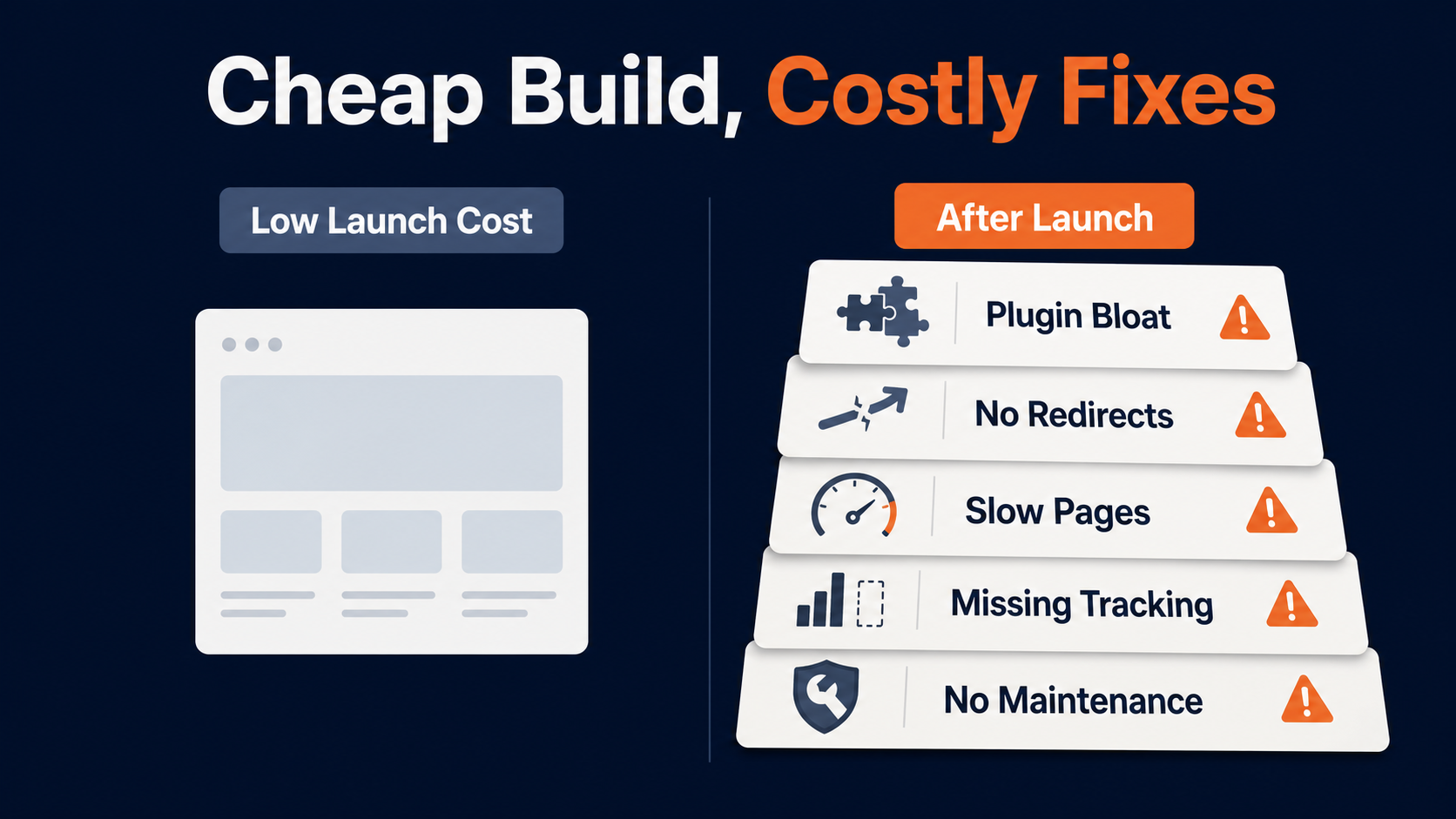
If organic search matters, include WordPress SEO services or at least technical SEO planning in the project budget. If the site already ranks, migration mistakes can cost more than the redesign saves.
Maintenance is also not optional for a serious WordPress site. WordPress core, plugins, themes, PHP versions, and security requirements change. For budgeting context, review website maintenance pricing or consider ongoing website maintenance services.
How to Read a WordPress Website Quote
Before you compare prices, compare what is actually included.
Ask these questions:
- Is the quote for a template setup, custom design, or custom development?
- How many page templates are included?
- Who writes or migrates the content?
- Are redirects, metadata, analytics, and technical SEO included?
- Which plugins are required, and who pays for renewals?
- Is WooCommerce, payment, shipping, tax, or product data included?
- Are integrations included or only estimated?
- Is accessibility considered?
- How is performance tested?
- What browser and device QA is included?
- What happens after launch?
- Who owns the theme, code, content, licenses, and accounts?
Red flags include vague scope, no staging environment, no launch checklist, no redirect plan, no ownership clarity, no maintenance option, no plugin rationale, and no explanation of how the site will support SEO or conversions.
If you are comparing WordPress to other platforms, our broader website design pricing guide can help you frame platform, design, and development costs together.
When a Higher WordPress Budget Is Worth It
A higher WordPress website cost can be worth it when the site has a real business job.
That might mean generating qualified leads, supporting a sales team, improving ecommerce revenue, helping customers find the right product, recruiting employees, supporting local locations, or making content easier to publish.
Higher budgets are usually easier to justify when they reduce risk or improve revenue potential. Examples include:
- A cleaner information architecture that helps visitors find services and products.
- Faster templates that improve user experience.
- Better forms and tracking that show which channels produce leads.
- Cleaner technical SEO during a redesign.
- Better product/category templates for WooCommerce.
- Content structures your team can update without breaking layouts.
- Conversion-focused pages backed by conversion rate optimization services.
The goal is not to spend more for the sake of spending more. The goal is to avoid paying twice: once for a cheap site, then again to rebuild it when it cannot support the business.
Get a Custom WordPress Website Cost Estimate
If you need a real number, the next step is a scoped estimate. A useful WordPress website quote should explain what is included, what is optional, what assumptions the price depends on, and how long the project should take.
OuterBox can review your current site, business goals, content needs, SEO considerations, and technical requirements, then recommend the right build path. If the project is simple, we will say so. If the project needs custom design, development, WooCommerce, SEO migration, or support, we will outline the work before you commit to a budget.
WordPress Website Cost FAQs
How much does a WordPress website cost in 2026?
A basic self-built WordPress site can cost a few hundred dollars in the first year. A professional business website often costs several thousand dollars. Custom business, WooCommerce, and enterprise WordPress sites can cost $25,000 to $100,000+ depending on scope.
Is WordPress free?
WordPress.org software is free to download, but a complete website still needs hosting, a domain, design, development, plugins, security, maintenance, and content. WordPress.com is a hosted service with paid plans and a different pricing model.
How much does WordPress website design cost?
WordPress website design cost depends on whether you use a template, customize a theme, or commission a fully custom design. A simple professional design may cost a few thousand dollars, while custom design systems for larger sites can cost much more.
How much does WordPress maintenance cost?
Maintenance cost depends on the site size, plugin stack, support needs, hosting environment, security requirements, and update process. Budget for ongoing updates, backups, monitoring, small fixes, and support after launch.
How much does a WooCommerce website cost?
WooCommerce core is free, but a real WooCommerce website budget includes hosting, extensions, payment processing, shipping, tax, product data, integrations, design, development, SEO, analytics, and maintenance. Ecommerce WordPress projects usually cost more than simple brochure sites.
Should I hire a freelancer or WordPress agency?
A freelancer can be a good fit for a small, clearly scoped WordPress project. An agency is usually a better fit when the site is business-critical, needs strategy, design, development, SEO migration, analytics, integrations, ecommerce, accessibility, or ongoing support.